
Before you start
You need three things. Your FA Full-Time login. Your team's league ID (you'll find it in the URL on the FA Full-Time page for your league). Five minutes.
Don't do this on a phone. The FA Full-Time table is awkward to highlight on a small screen. Laptop, paste into Trac, takes longer to write than it does to do.
Step 1: find your team's fixture list on FA Full-Time
Go to fulltime.thefa.com. Sign in. Find your county FA, your league, your division, and your team. You'll land on a page with a table of every fixture for the season.
Some leagues split fixtures and results into separate tabs. Make sure you're on Fixtures, not Results. Importing Results gives you 0-0 against every score until you edit them.
Step 2: export or copy your fixtures
Two options. Either click Export to CSV (if your county FA has enabled it) and save the file. Or highlight all the fixture rows in the table and copy with Ctrl+C or Cmd+C.
If you're copying, do not include the header row. Just the fixture rows. Trac will work out the columns, but only if the header isn't pasted on top of the data.
Step 3: paste into Trac
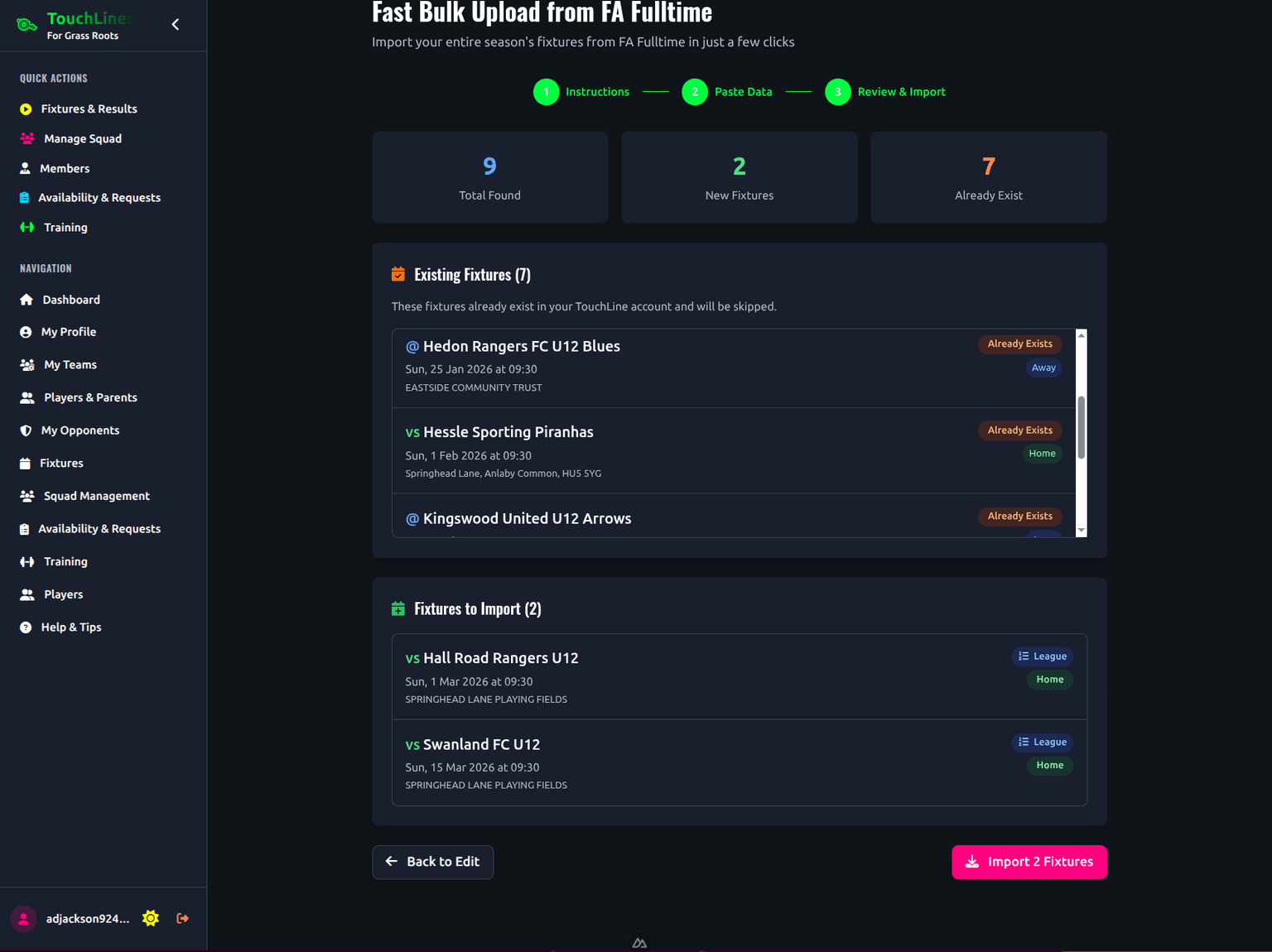
Open the Trac fixture importer for your team. Paste into the box. Trac parses the dates, kick-off times, opponents, home or away, and pitches. You get a preview before anything saves.
The preview is the bit to actually look at, not skip. Anything Trac is unsure about gets flagged in yellow.
Step 4: confirm dates, times, opponents, pitches
Five things to check before hitting Import:
- Dates are in the right year. Pre-season fixtures sometimes carry an old year stamp.
- Kick-off times are in 24-hour format. 10am is 10:00, not 10.00. Trac handles both, but worth a glance.
- Home and away are the right way round. FA Full-Time uses your team's name to work it out. If your team plays under more than one name (say, "Hessle U10 Reds" and "Hessle Reds"), one of them might come in backwards.
- Pitches have addresses, not just names. "Foreshore Pitch 3" is fine; "Pitch 3" with no venue is not.
- League vs cup fixtures are tagged correctly. Trac tries to detect this from the FA Full-Time competition field.
Once the preview looks right, hit Import. Your whole season is in.
What if my league isn't on FA Full-Time?
Most county FA leagues are. Some smaller youth leagues run on a Google Sheet or a PDF mailed round in August.
Three options for those:
- Paste from a spreadsheet. Same flow as the FA Full-Time paste. As long as you have columns for date, time, opponent, home/away, and pitch, Trac will read it.
- Upload a CSV file. Same fields. Faster if you've got 38 fixtures to enter.
- Add fixtures one at a time. Tedious but workable for a short season.
Common pitfalls
Pitch addresses missing
FA Full-Time sometimes lists a pitch by name only ("Pitch 5") without a venue. When you import, those fixtures come in with no address. Parents tap the fixture, get no Google Maps link. Add the venue name in Trac after import.
Age-group filter is wrong
Click your way through the FA Full-Time menu and double-check you're on the right age group. The URL changes when you select a different one, so glance at the page title before copying.
12-hour versus 24-hour formatting
Some leagues use 12-hour times (10:00am, 2:30pm). FA Full-Time mostly uses 24-hour. Trac handles both, but if your league uses something unusual (10am with no colon), check the import preview.
Fixtures versus results tabs
Most common mistake. You're on the Results tab, you copy the table, every fixture imports with a score already entered. If you didn't mean to do this, undo the import and start again from the Fixtures tab.