

FA Full-Time import
Import your full FA Full-Time season in three minutes.
Trac reads your FA Full-Time fixtures and turns them into a managed season. No manual entry.
Three steps. Done before the kettle boils.
Works for any team in the FA Full-Time system. Pre-season is the right moment to do this.
Find your team on FA Full-Time
Go to fulltime.thefa.com. Pick your league, your age group, and your team. You'll land on the full fixture list for the season.
- Sign in with your FA Full-Time account
- Filter to your team and season
- Confirm the fixture list is the current one
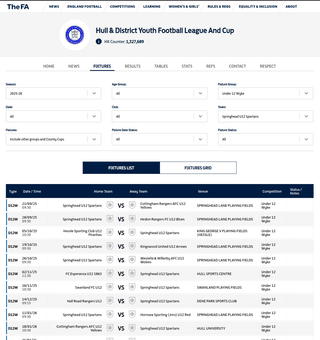
Copy the fixture rows
Highlight the fixture rows in the table. Don't include the headers. Copy with Ctrl+C (or Cmd+C on a Mac).
- Select rows only, not the header line
- Use the standard FA Full-Time table view, not the print view
- No need to reformat anything
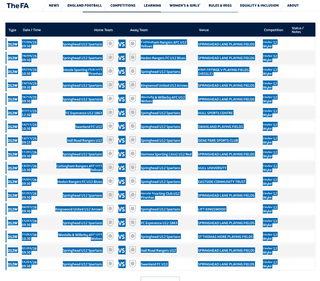
Paste into Trac and confirm
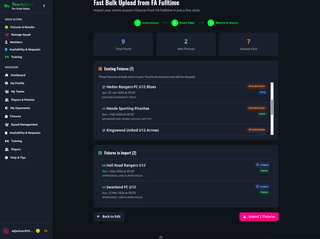
Open the Trac fixture importer. Paste. Trac works out home and away, league versus cup, pitches, and kick-off times. Review the preview, hit confirm.
- Trac flags home and away automatically
- Cup and league fixtures are tagged separately
- Duplicate fixtures are skipped
- Preview before importing. Nothing is saved until you confirm
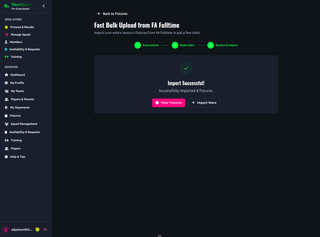
Done. Your whole season is in.
From here you can send availability requests, build lineups, log matches, and write reports. No retyping at any point in the season.
If your league isn't on FA Full-Time
Paste a CSV instead
Most county FA leagues publish through FA Full-Time. Some don't. If your league sends fixtures by email or PDF, you can still bulk-import them.
Paste a CSV with date, kick-off time, home team, away team, pitch. Trac picks it up from there. You only need to add fixtures once for the season.
The deep walkthrough
Want screenshots of every step?
We wrote a step-by-step playbook with annotated screenshots, the five things to double-check, and a one-page printable cheat sheet you can stick on the noticeboard.
Common questions
Import next season before pre-season starts.
Three minutes now, zero retyping for nine months.